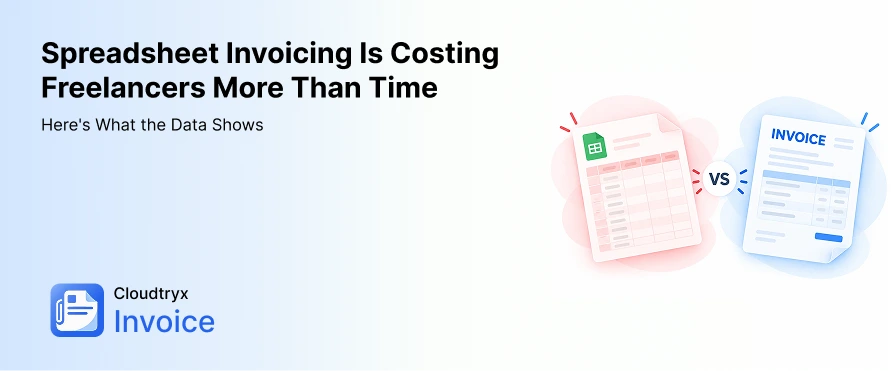
Spreadsheet Invoicing Is Costing Freelancers More Than Time: Here’s What the Data Shows
The Hidden Cost of Using Spreadsheets for Freelance Invoicing
For many freelancers, spreadsheets are still the go-to invoicing solution. Major reasons being they are free, are familiar and may assume it to be flexible.
But “free” doesn’t necessarily mean cost-free.
The real cost of invoicing on spreadsheets is the time you spend on creating invoices, tracking your payments, checking if something is due, creating from scratch every month, fixing formulas, and much more.
According to Smallpdf’s 2026 Freelancer Freedom Index, freelancers spend an average of 204 hours a year on administrative work, and this equals to an average of $6,800 in lost income opportunity. Approximately, 397 freelancers, consultants and also solo operators were surveyed for the survey.
That’s more than five 40-hour workweeks.
Having said that, the question is not limited to only, “Is my spreadsheet free?”
Rather, it’s “What is managing my invoicing manually costing me?”
The Real Numbers Behind Admin Work Of Freelancers
Freelancers don’t just spend time doing client work. When it comes to getting paid for the work done, the process has a huge tasklist to maintain too. They have to manage invoices, payment records, due dates, reminders, client information, taxes, and billing changes.
And not to forget, late payments are very common.
Remote’s 2025 Contractor Management Report found that 85% of surveyed freelancers experience late payments at least some of the time.
Late payments aren’t always caused intentionally by the clients or they avoid payments. On their end, the process can be tiring, internal approval, unclear responsibilities, and inefficient payment workflows can also contribute to delays.
That makes late payment partly an infrastructure problem, not simply a client-behaviour problem.
Scope fluctuations adds another hidden cost
Payment delays aren’t the only problem.
Freelancers can also lose income when projects gradually expand beyond their original scope.
A “small change” from the client can sometimes take several additional hours. If you don’t bill these extra hours to the client, it merely becomes unpaid work.
According to Upwork, Scope Creep refers to additional work that was not initially discussed at the time of contract, or when defining project requirements.
Together, administrative work, delayed payments, and unbilled work can quietly reduce the profitability of freelancing.
Where Spreadsheets Specifically Break Down
Spreadsheets are good for organizing client information, but they are not the right fit for managing the entire invoicing workflow.
Here are three areas where their limitations become particularly noticeable.
1. No Automated Tracking of Due-Dates and Overdue Invoices
A spreadsheet can record an invoice date and payment due date. But to check how many days are left until the invoices get overdue, it has to be done manually.
When workload increases, you may need someone to manage the spreadsheet.
Spreadsheets have multiple chances of error like, overwriting formulas, incorrect dates mentioned, missing formulas, and more.
When you have multiple clients, manually checking which invoices are due or overdue becomes another administrative task.
Why a simple invoicing software for freelancers matters for cash flow: You need to know not only how much you’ve invoiced, but also keep track of the invoices that are already paid, the ones that are overdue, send payment reminders and which invoices require attention.
Dedicated invoicing software provides visibility in a single dashboard, without having to check everything manually, each month.
2. No Built-In Payment Links or Reminders
Creating an invoice is only the beginning.
After sending it, the real struggle begins. When managed manually, someone will have to keep an eye on the due date, and if the amount doesn’t arrive, send payment reminders too.
With a spreadsheet, the concerned person will have to take out the client’s contact information, locate the invoice, write an email or a follow-up message and then send the follow-up.
How invoicing software helps: A missed follow-up can turn a 30-day payment into 45 or 60 days, and sometimes more.Through an online invoicing software like Cloudtrryx Invoice, you can send automated reminders, which make payment follow-ups part of the process instead of something you have to remember.
3. Fragile Formatting and Formulas
Spreadsheets are highly customizable, but sometimes too much of something creates a problem.
One changed formula or shifted column can mess up the initial calculations. The task becomes very confusing when you have different billing models for different clients.
For example:
- Client A — hourly billing
- Client B — fixed project fee
- Client C — monthly retainer
- Client D — milestone-based billing
Why use an invoicing solution: Billing mistakes can result in underbilling, incorrect invoices, corrections, client queries, and delayed payments.
According to Smartsheet research manual updates, formatting problems, and undetected errors are some of the common challenges freelancers or consultants face when managing invoices through spreadsheets.
Why This Is an Ecosystem Problem
The problem with spreadsheet billing is not only a freelancer problem.
Even companies working with freelancers and contractors face challenges when it comes to clearing their invoices.
Remote’s 2025 research found that 49% of surveyed companies use in-house tools and systems, including manual spreadsheets, to manage freelancer contracts and billing.
That creates friction on both sides.
At times it happens that while you are waiting for an invoice to get cleared within the due date, your client’s accounts team is waiting for internal approval or proper documentation to release the payment.
Not always the intention is to delay payments. The process simply isn’t designed to make the status of every invoice clear.
That’s why the use of reliable, easy to use and affordable invoicing software is recommended. It not only benefits freelancers, agencies, consultants, small businesses, but also their clients who are working with them.
What to Look for in an Online Invoicing Software
Moving away from spreadsheets doesn’t mean you will have to look for a full-fledged accounting software to manage your accounts and finances.
For freelancers and small businesses, a system that makes everyday invoicing simple, and that supports applicable taxes is enough. When navigating different invoicing solutions, look for;
1. Automated Due-Date Tracking
Ensure that the dashboard helps you quickly identify the invoices that are paid, pending and overdue without spending almost an hour on spreadsheets.
2. Payment Links and Reminders
The software allows addition of payment information on the invoices, so that it becomes easy for your clients to clear payments on time.
3. A Multi-Client Dashboard
A centralized dashboard specific should show your invoiced, paid, outstanding, and overdue amounts at a glance, and also for every client when required.
4. Flexible Billing
Your invoicing system should support different billing models, as you charge your clients. That said, it should have hourly, fixed-fee, recurring, or retainer billing.
5. Professional, Tax-Compliant Invoices
Your invoices should consistently include essential business, client, tax, payment, and invoice information without having to feed them manually every time when you are generating a fresh invoice.
How Cloudtryx Invoice Helps
Cloudtryx Invoice is built to simplify the everyday invoicing workflow for freelancers and small businesses.
Keeping the needs of small businesses, consultants, startups or freelancers in mind, we have integrated all required features, without making it chunky. Instead of maintaining separate spreadsheets for invoices, clients, and payments, you can manage your billing from one platform.
With Cloudtryx Invoice, you can:
- Create professional invoices
- Create GST invoices
- Manage clients
- Track paid, pending, and overdue invoices
- Send invoices and payment reminders
- Generate payment receipts
- Create estimates and quotations
- Track expenses
- Generate business reports
The platform also supports multi-currency invoicing for freelancers and provides centralized visibility into payments and receivables.
The Cost of Doing Nothing
No doubt, there is no monthly subscription of using a spreadsheet for invoicing.
That’s why the real cost that you are paying is overlooked.
Honestly, you are spending an hour creating invoices, another hour checking payments, fixing errors, applying formulas, doing tax calculations, and more. All of these tasks club into a significant amount of time spent every year.
Moreover, the tax invoices created using spreadsheets are not always compliant and your clients have a hard time collecting ITC, since the format is not accepted at the government’s portal.
The goal of invoicing software isn’t simply to create prettier invoices.
We aim to reduce the friction between doing the work and getting paid for it.
Ready to Spend Less Time Managing Invoices?
If your spreadsheet is starting to feel like another job, it is time you opt for an affordable cloud based invoicing solution.
With Cloudtryx Invoice, you can join on the free plan and see how it makes your life easy.
We help freelancers and small businesses create professional invoices, manage clients, track payments, and stay on top of outstanding receivables. All from an easy to use and understand dashboard.
Sign up with Cloudtryx Invoice for free and move beyond invoicing through spreadsheets.