How to Create an Invoice: A Step-by-Step Guide (Free Template Included)
Creating a professional invoice doesn’t have to be complicated. Whether you’re a freelancer, consultant, contractor, or small business owner, knowing how to create an invoice correctly helps you get paid faster, keep accurate records, and build trust with your clients.
In this guide, you’ll learn exactly what an invoice should include, how to create one step by step, and where to get a free invoice template you can start using today.
What Is an Invoice?
An invoice is a document that requests payment for goods or services provided. It records what was sold, how much is owed, when payment is due, and serves as an important business record for both the seller and the customer.
Unlike a receipt, which confirms payment has already been made, an invoice asks for payment.
What Should You Include in an Invoice Legally?
While legal requirements vary by country, most professional invoices should include the following information.
Essential Invoice Elements
| Invoice Field | Why It’s Important |
|---|---|
| Business name and logo | Identifies your business professionally |
| Business address | Required for many jurisdictions |
| Contact information | Makes it easy for clients to reach you |
| Invoice number | Helps track payments |
| Invoice date | Records when the invoice was issued |
| Due date | Sets payment expectations |
| Customer name and address | Identifies the buyer |
| Itemized products or services | Shows exactly what you’re charging for |
| Quantity and price | Calculates charges clearly |
| Taxes | Displays applicable sales tax, VAT, or GST |
| Total amount due | Shows the final payment amount |
| Payment methods | Makes paying easier |
Tax Information
Depending on where your business operates, you may also need to include:
- Tax Identification Number (TIN)
- VAT number
- GST number
- Sales tax registration number
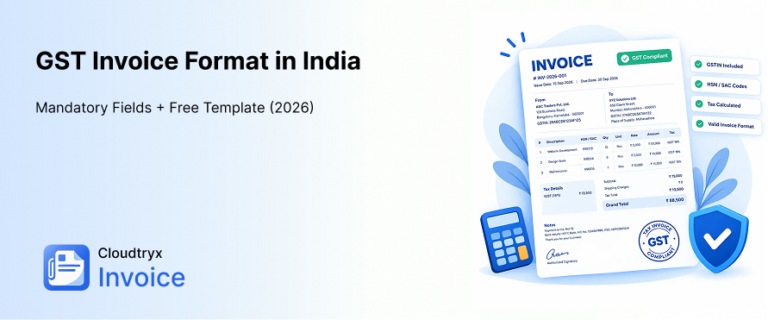
For businesses operating in India, invoices may require details such as GSTIN, HSN/SAC codes, and compliance with the GST invoice format India requirements.
Best Practices That Help You Get Paid Faster
- Use a unique invoice number.
- Include clear payment terms (such as Net 15 or Net 30).
- Accept multiple payment methods.
- Send invoices promptly after completing work.
- Keep digital copies for accounting purposes.
How to Create an Invoice (Step-by-Step)
You don’t need expensive accounting software to make a professional invoice. Follow these simple steps.
Step 1: Add Your Business Information
- Business name
- Logo (optional but recommended)
- Address
- Phone number
- Website (if applicable)
This helps establish credibility immediately
Step 2: Add Your Client’s Information
Include the customer’s:
- Name
- Company (if applicable)
- Billing address
- Contact email
Double-check spelling before sending.
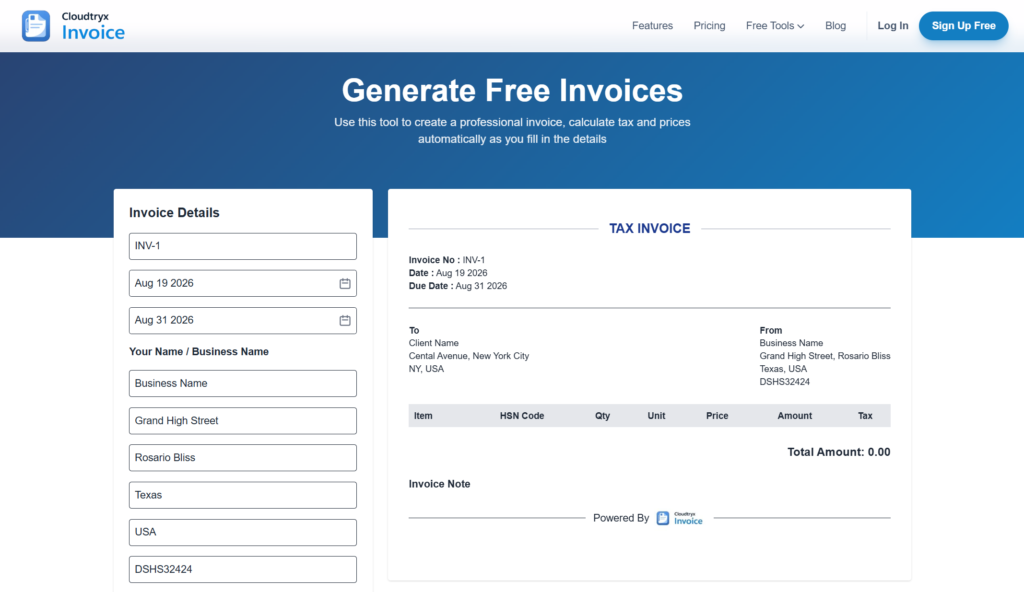
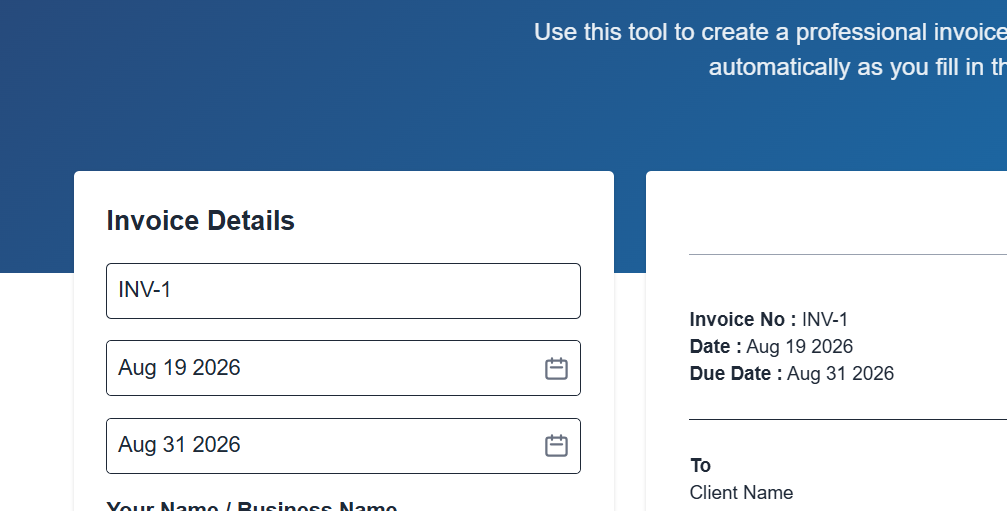
Step 3: Assign an Invoice Number
Use a consistent numbering system such as:
- INV-1
- INV-2026-001
- CTX-25/26-1001
Sequential numbering makes bookkeeping much easier.
Step 4: Add Invoice and Due Dates
Always include:
- Invoice Date
- Payment Due Date
For example:
- Invoice Date: August 19, 2026
- Due Date: Aug 31, 2026
Step 5: List Your Products or Services
Create an itemized breakdown instead of a single lump sum.
Example:
| Description | Qty | Rate | Amount |
|---|---|---|---|
| Website Design | 1 | $500 | $500 |
| Logo Revision | 2 | $50 | $100 |
Itemized invoices reduce disputes and improve transparency.
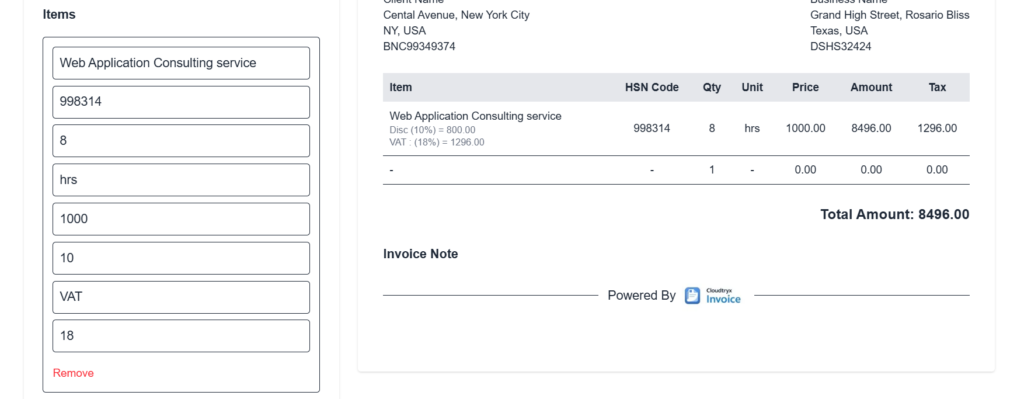
Step 6: Calculate Taxes and Discounts
Include:
- Subtotal
- Discount (if any)
- Applicable taxes
- Final total
Example:
| Item | Amount |
|---|---|
| Subtotal | 600 |
| Tax | 60 |
| Total Due | 660 |
Step 7: Add Payment Instructions
Tell clients exactly how they can pay.
Examples include:
- Bank transfer
- Credit card
- UPI
- PayPal
- Stripe
Also mention any late payment policy if applicable.
Step 8: Review Before Sending
Before sending, verify:
- Client details
- Invoice number
- Amounts
- Tax calculations
- Due date
- Payment instructions
A quick review can prevent payment delays.
Invoice vs. Receipt vs. Estimate
These documents serve different purposes.
| Feature | Invoice | Receipt | Estimate |
|---|---|---|---|
| Requests payment | ✅ | ❌ | ❌ |
| Confirms payment | ❌ | ✅ | ❌ |
| Shows price before work | ❌ | ❌ | ✅ |
| Used for bookkeeping | ✅ | ✅ | Sometimes |
A common workflow looks like this:
Estimate → Client Approval → Invoice → Payment → Receipt
Learn more about the differences between Estimate and Invoice.
Free Invoice Template
If you’d rather skip formatting everything manually, we’ve made it easy.
You can:
- Create an invoice online in minutes
- Download a professional invoice
- Customize your business details
- Use a free invoice template
👉 Try this Free Invoice Generator
Whether you’re invoicing your first client or sending dozens each month, using a ready-made template helps save time and reduces errors.
Common Invoice Mistakes to Avoid
Many payment delays happen because of avoidable mistakes.
Here are the most common ones:
- Forgetting to include an invoice number
- Missing payment due date
- Incorrect tax calculations
- Vague service descriptions
- Missing payment instructions
- Sending invoices late
A professional invoice should answer every question a client might have before they make payment.
Tips for Getting Paid Faster
Creating a good invoice is only part of the process. These habits can improve payment speed.
- Send invoices immediately after completing work.
- Use clear payment terms.
- Offer multiple payment options.
- Include a polite thank-you note.
- Follow up before or shortly after the due date.
Many small businesses also automate payment reminders to reduce late payments.
Frequently Asked Questions
Can I send an invoice without a business registration?
In many countries, freelancers and sole proprietors can legally send invoices without forming a company. However, tax registration requirements vary, so check your local regulations.
How do I create an invoice online for free?
You can use a free invoice generator to fill in your business details, client information, services, and payment terms, then download or send the invoice digitally.
What’s the difference between an invoice and a receipt?
An invoice requests payment before it’s made, while a receipt confirms that payment has already been received.
What payment terms should I use?
Common options include:
- Due on Receipt
- Net 7
- Net 15
- Net 30
Choose terms that fit your business and communicate them clearly.
What is the GST invoice format in India?
The GST invoice format India typically includes GSTIN, invoice number, invoice date, customer details, HSN/SAC codes, tax breakdowns (CGST, SGST, or IGST), and the total amount payable, following GST regulations.
Final Thoughts
Learning how to create an invoice is one of the most valuable skills for freelancers and small business owners. A well-designed invoice not only helps you get paid faster but also improves professionalism, keeps your records organized, and makes tax preparation easier.
Instead of building invoices from scratch every time, save time with a professional template and create polished invoices in just a few minutes.
Learn more about GST Invoice in India
Ready to get started? Try Free Invoice Generator and create your first professional invoice today