Invoice Generator Free vs Paid: When Should You Upgrade?
Do you think a free invoice generator will be enough for your business? Compare free vs paid invoicing software available online and learn the exact signs it’s time to upgrade.
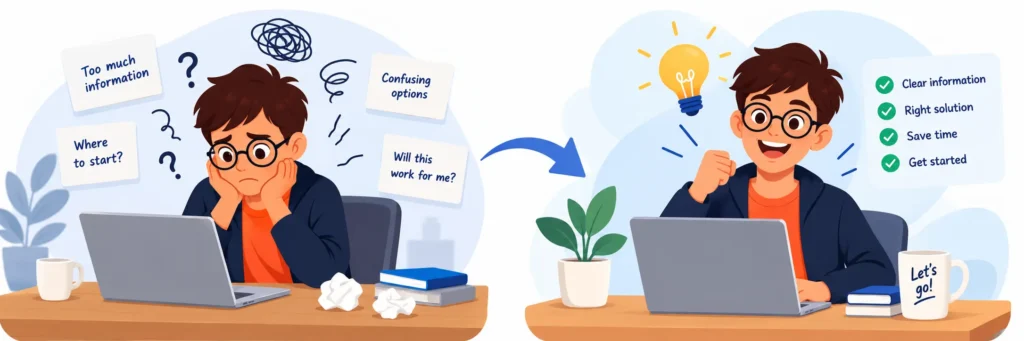
We have encountered a lot of business owners asking the same question before buying an invoicing software, do we really need to pay for it?
It’s a fair question. A free invoice generator can create a clean, professional GST invoice in a couple of minutes, and many small businesses need only this. But as your business grows, small gaps start to show. You start spending more time in invoice creation with the free tool, as you need to copy client details, follow up on overdue invoices, and also pull figures to help your CA with it.
Our blog will help you make the call of free vs paid invoice generator, with confidence. You’ll know what our free invoice generator plan actually gives you, where it starts to struggle, and the clear signs that tell you it’s time to upgrade.
Quick Answer: When should I upgrade?
Upgrade to the paid plan of an online invoicing software when you have to bill the same client repeatedly, month after month or more than once in a month. Look up to paid plans for automated payment reminders, so that follow-ups are sent to the client on overdue invoices. Moreover, if you need recurring invoices, GST reports, or more than one person working on billing, a paid tool will usually save more time and money than it costs.
What Our Free Invoice Generator Actually Gives You
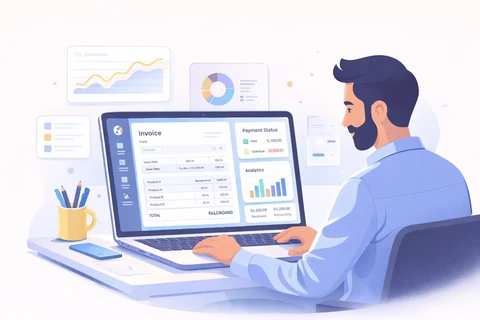
Our free invoice generator is built to do one job well: help you create and download an invoice quickly. It includes:

Ready-made invoice templates
With space for business details, and client details

Basic discount and tax fields
Like you can add GSTIN, HSN/SAC codes, GST details including IGST/CGST/SGST, and also discounts if applicable

Downloadable PDF
So you can email, print, or WhatsApp the invoice right away

Automatic totals
So that there are no calculation mistakes

No signup needed
You just fill in the details, add your email address, download the invoice or email it and you’re done.

Generate Reports
Get reports about how your business performance
Who a free invoice generator is right for
A free tool is genuinely the right choice if you are:
A freelancer or consultant
Who bills a handful of clients each month

A small or new business
Testing the software before you decide to commit to an online invoice generator.

Someone doing one-off billing
Such as a single project, an event or an occasional sale
If you are any of the above, start with our free invoice generator. From the tool, you can create a GST-ready invoice in minutes without spending anything.
Signs Free Invoice Generators Aren’t Enough
Free software is designed with limited features, for creating invoices, not for managing billing. Know where that difference starts to matter.
No payment tracking
A free generator doesn’t store any data of the invoice. The moment you download it, it’s gone. There’s no dashboard showing your payment receipt, pending invoices, or part payments. Most people end up tracking this in a spreadsheet or notebook and it becomes easy to miss things when done manually.
No recurring or automated billing
If you bill the same client every month, a free generator makes you recreate the same invoice from scratch. After downloading a PDF, you cannot edit that on the software. That means re-entering the same details, the same items, and the same amounts. Over a year, this repeated work adds up to hours that could have been spent on something productive.
Limited reporting
When it’s time for GST filing, you need clear figures, sales, tax collected and paid, and also outstanding amounts. Free invoice generators rarely offer reports, so you or your CA have to put these numbers together from individual PDFs. This takes time and increases the chance of errors in your returns.
No automated reminders
No denying the fact, late payments are one of the biggest problems for Indian small businesses. The Economic Survey 2025–26 estimates that about ₹8.1 lakh crore owed to MSMEs is stuck in delayed payments. Free invoicing software will not help you send automatic reminders when an invoice is due, so the follow-up becomes a manual task for you.
No accounting integrations
You cannot connect the free generator to accounting software, payment gateways, or bank records. That said, for bookkeeping, every invoice needs to be entered somewhere else. This double entry makes the process less efficient and a solid reason for mismatches.
Single-user account access
Our free software is built for one person. If your accountant, partner, or billing staff also needs access to view the same invoice, you end up sharing files back and forth. You cannot share the account with other users, there are no shared records, and no way to see who changed what.
When to Upgrade to Paid Invoicing Software
You don’t need to upgrade on day one. However, if you encounter most of the below mentioned signs, know that it’s time for you to opt for the paid plan:
- Your invoice volume has grown. You have started creating multiple invoices every week, and billing now takes hours instead of minutes each month.
- You have to chase payments. If you see that the due dates of invoices are crossing, and you still have numerous overdue invoices lying, opt for a paid plan so that you easily know who owes what.
- You have recurring clients. You bill the same client every month and are sending almost the same invoices.
- Your clients ask for online payment details. You are asked to send UPI, card, or payment link instead of a bank transfer, in the invoice itself.
- More than one person handles billing. Invoices you produce every month have increased, or there are other people who look after your business invoicing. With paid plans you can share the account with the concerned person, when required.
- Tax and reporting are getting harder. You need GST-ready sales reports, outstanding reports, or cleaner records for your CA. If your turnover is approaching the e-invoicing limit (currently ₹5 crore), you’ll also need IRN and QR code support.
- You bill clients outside India. You need multi-currency support while generating invoices. That said in USD, EUR, AED, or other currencies, with correct conversions.
- You’ve lost an invoice or repeated an invoice number. This is the most common issue businesses face and a clear sign your current system can’t keep up. Under GST rules, invoice numbers must be unique and in sequence for each financial year.
Free vs Paid: A Side-by-Side Comparison
| Feature | Free Invoice Generator | Paid Invoicing Software |
| Professional invoice templates | ✅ Yes | ✅ Yes, with more customization |
| GST fields (GSTIN, HSN/SAC, CGST/SGST/IGST) | ✅ Usually | ✅ Yes |
| PDF download and sharing | ✅ Yes | ✅ Yes, plus email and WhatsApp sharing |
| Signup required | ❌ Often not | ✅ Yes (account-based) |
| Saved client and product lists | ⚠️ Limited or none | ✅ Yes |
| Automatic invoice numbering | ⚠️ Manual | ✅ Automatic and sequential |
| Recurring invoices | ❌ No | ✅ Yes |
| Payment tracking (paid, due, overdue) | ❌ No | ✅ Yes |
| Automated payment reminders | ❌ No | ✅ Yes |
| Online payment links (UPI and cards) | ❌ Rarely | ✅ Usually |
| GST and sales reports | ❌ Rarely | ✅ Yes |
| Multi-user access and roles | ❌ No | ✅ Yes |
| Multi-currency invoicing | ⚠️ Limited | ✅ Yes |
| Accounting and payment integrations | ❌ No | ✅ Yes |
| E-invoicing (IRN and QR code) | ❌ No | ✅ Available in many tools |
| Cloud storage and backup | ⚠️ Limited | ✅ Yes |
| Best for | Freelancers and one-off billing | Growing businesses with regular billing |
In short: free plans of the online invoicing software help you create invoices, while paid tools help you manage billing from invoice to payment.
You Can Easily Make The Switch From Free to Paid Invoice Generator, Without Disrupting Your Workflow
Switching doesn’t have to be a big-bang move. A step-by-step approach keeps your billing running smoothly:
- Collect data that you already have. Download or gather your past invoices, client list, and product or service list in one folder.
- Write down your must-have features. Be clear about the three or four features that are non-negotiables for you in invoicing software. It can be recurring billing, reminders, or GST reports.
- Start with our free plan. Test the software by signing up for the free plan of Cloudtryx Invoice, before moving your live billing.
- Set up your business profile. Add your GSTIN, address, logo, bank details, and tax settings.
- Continue your invoice number series. You can start making invoices from where you left the numbering series. Ensure it stays unique and in order for the financial year.
- Import clients and items. Add your regular clients and products so future invoices take seconds.
- Run both tools for one billing cycle. Create all new invoices in the paid software, and keep the old invoices where they are. This will help avoid confusion mid-month.
- Move recurring clients and turn on reminders. Once you are versed with using the software, start setting up recurring invoices in the paid plan. Also, set automatic payment reminders that would go to the clients once the due date passes.
- Connect payments and share access. Add payment links, and give your accountant or team access with the right permissions for the invoicing software.
- Retire the free plan, but keep your records. Store all invoices created using the old tool safe with you. GST law requires businesses to keep records for 72 months from the due date of the annual return.

Final Thoughts
Choosing between a free and paid invoice generator comes down to one simple question: are you only creating invoices or managing an entire ecosystem?
- Stay free if you bill occasionally, have only a few clients, and payments usually come in on time.
- Upgrade when invoices become a weekly task, clients repeat, payments need chasing, or your CA needs cleaner reports.
The best approach is to start with our free plan, know how the tool will help you grow your business, and it grows with you, and then upgrade when your business tells you it’s time.
Ready to create your first invoice? Try Cloudtryx’s free invoice generator and make a professional, GST-ready invoice in minutes.