
Free invoice templates
Free Invoice Templates for Every Business Type
If you need an invoice and you don’t want to build one from scratch, our free invoice templates come to the rescue. Pick a template below, add your details, save it as a PDF and send it. It takes just a couple of minutes, and no signup is needed to download the template. If you don’t want to edit files too, to send an invoice, you can create the same invoice online and have the totals and tax calculated for you.
Pick a Template For Your Work
Find the table below that lists different professions or services and the type of template you can use, from our disposal. Templates enable you to quickly send a clean, professional invoice to your client.
| If you are a… | Template You Can Use | Why |
|---|---|---|
| Freelancer or consultant | Professional (Word/Excel) | Room for project descriptions, hours or retainers |
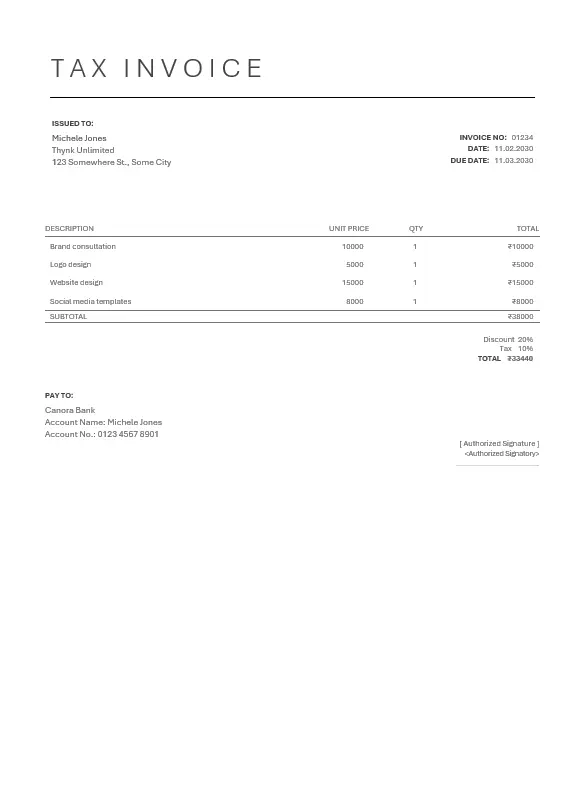
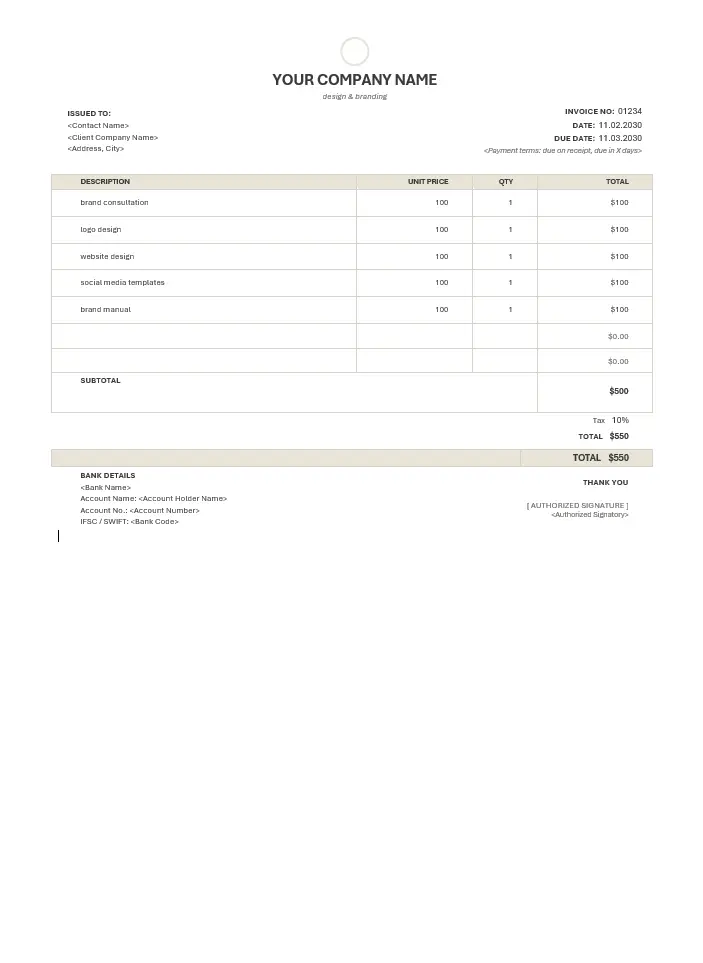
| Designer or creative person | Designer’s template | A cleaner layout that suits portfolio work |
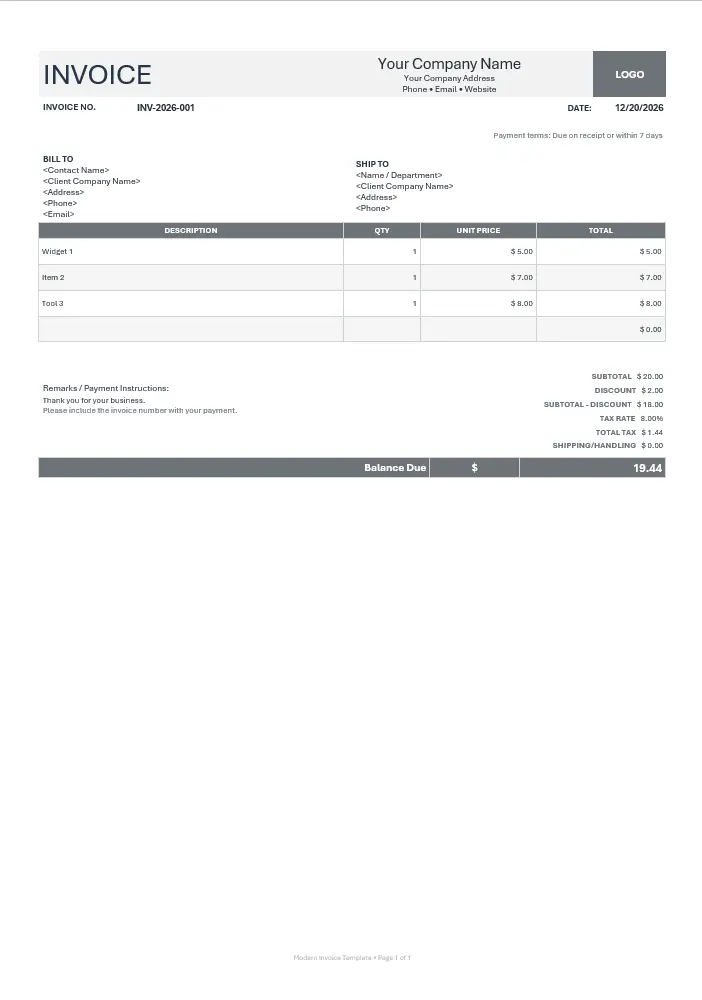
| Small shop or service business | Modern or Minimal | Simple, quick and easy to print |
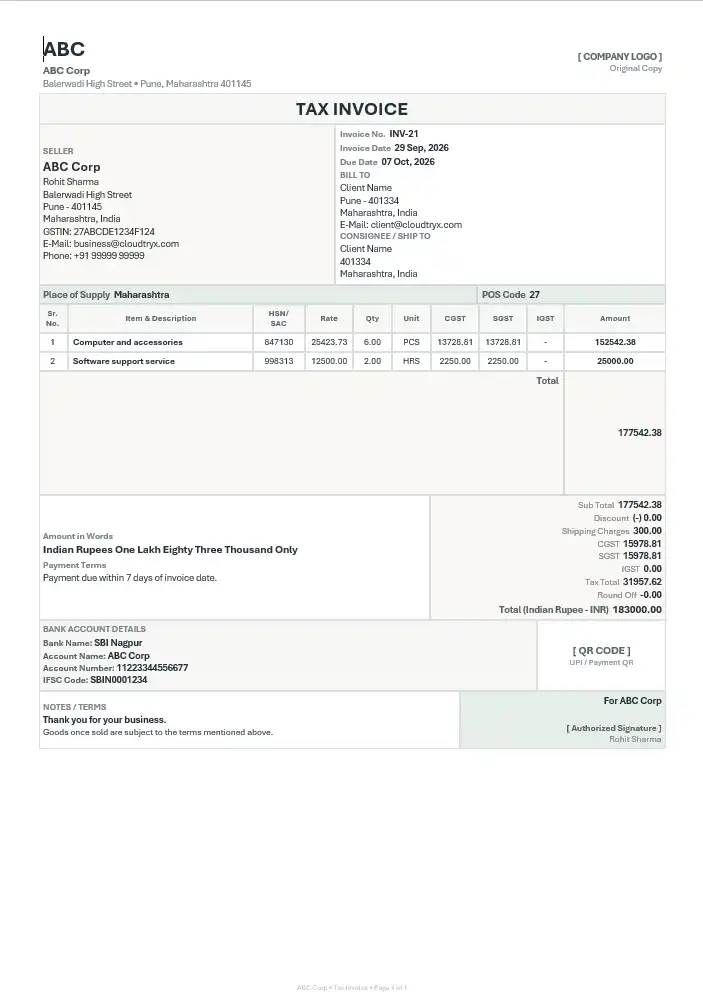
| GST-registered business in India | GST tax invoice (Excel) | Includes GSTIN, HSN/SAC and CGST/SGST/IGST fields |
| Selling abroad | Export invoice | Includes currency, shipping and LUT details |
Browse templates
Free Invoice Templates
Start with a template that fits your workflow. Use a familiar file format when you need a downloadable invoice, or move to online invoicing when you want to create, send and track invoices in one place.
How To Make an Invoice From Free Templates
-
1
Download the template
Download it in the format you want to work with. Excel works best if you want automatic totals, while Word is better if you want to change the layout.
-
2
Replace the sample business details
Replace the sample information with your business name, address, contact details and applicable tax details.
-
3
Add your client's details
Enter your client's name and address, using the details provided in their contract or purchase order (PO).
-
4
Assign a unique invoice number
Use a simple running sequence, such as INV-0001, INV-0002 and so on. Never reuse an invoice number, because your accountant and clients rely on consistent records.
-
5
List the products or services you're billing for
Add a short description, quantity, rate and amount for each line item. An invoice can include multiple products or services.
-
6
Calculate tax and the total
Excel templates can use formulas to calculate totals and taxes automatically. In Word, check your calculations carefully before sending the invoice.
-
7
Specify the due date and payment method
Clearly state when payment is due and include your bank or UPI details where appropriate. Specific payment terms help clients understand when and how to pay.
-
8
Save the invoice as a PDF before sending
PDF helps preserve the invoice's layout across devices. It is harder to edit accidentally than a Word or Excel file, although PDF content can still be modified with suitable tools.
What a Valid Invoice Must Have
A complete invoice template should include the following details, as applicable to your business and local tax requirements:
- ✓ Business name and address
- ✓ Client's name and address
- ✓ Unique invoice number
- ✓ Invoice date and due date
- ✓ Description of products or services
- ✓ Quantities, rates and line-item amounts
- ✓ Applicable taxes and total amount
- ✓ Payment terms and instructions
Excel, Word or PDF?
Confused about which document type to use for creating business invoices? Each format serves a different purpose. Choose the one that best fits your workflow.
| Document Type | Best For | Be Cautious Of |
|---|---|---|
| Excel | Multiple line items, automatic tax calculations and totals | Formulas may break if cells are overwritten |
| Word | Custom layouts and invoices with fewer line items | Manual calculations and accidental edits |
| The final invoice you send to your client | Edit the source in Excel or Word before exporting again |
When a Free Invoice Template Is Not Enough
If you send only a few invoices each month, a free template may be all you need. But if you're constantly chasing client payments, switching between files and folders, copying client details or reconciling tax figures, manual invoicing can cost you more than time.
Cloudtryx Invoice is cloud-based invoicing software that helps you save client details, calculate taxes and totals, and send invoices by email or WhatsApp.
Its dashboard gives you a clear overview of your invoices, including which ones have been paid and which clients still owe you money. You can get started for free, with affordable paid plans available as your business grows.
FAQs
Are these invoice templates really free?
Yes. You can download and use them right away, as often as you like, without creating an account.
Can I use them for GST invoices?
Yes. Download the GST invoice template, which includes fields for GSTIN, HSN/SAC codes and applicable tax breakdowns. Fill in the correct business and transaction details, and verify the applicable tax requirements before issuing the invoice.
Which file format should I pick for invoice creation?
Choose Excel if you want formulas to calculate totals, or Word if you want more control over the layout. Once your invoice is finalized, save or export it as a PDF before sending it to your client.
Do I need an invoice number?
Yes. Give each invoice a unique number. Keeping invoice numbers organized makes bookkeeping, tracking payments and tax filing easier. Applicable invoicing rules may prescribe specific numbering requirements.
Can I put my logo on the template?
Yes. Replace the logo placeholder in the header of the Word or Excel template with your own business logo.
What’s the difference between an invoice and a bill of supply?
Under India's GST framework, a bill of supply is generally issued by eligible businesses that cannot charge GST on the supply, such as composition taxpayers or suppliers of exempt goods or services. A tax invoice is generally issued by registered suppliers making taxable supplies when required under GST rules. The correct document depends on your registration status and the nature of the supply.